Building Android Bots in Pure Python: 5 Years of Lessons That Shaped MAS
Five years of building Android automation in pure Python with ADB, OpenCV, and Tesseract. The engineering lessons behind Macro Automation Studio.
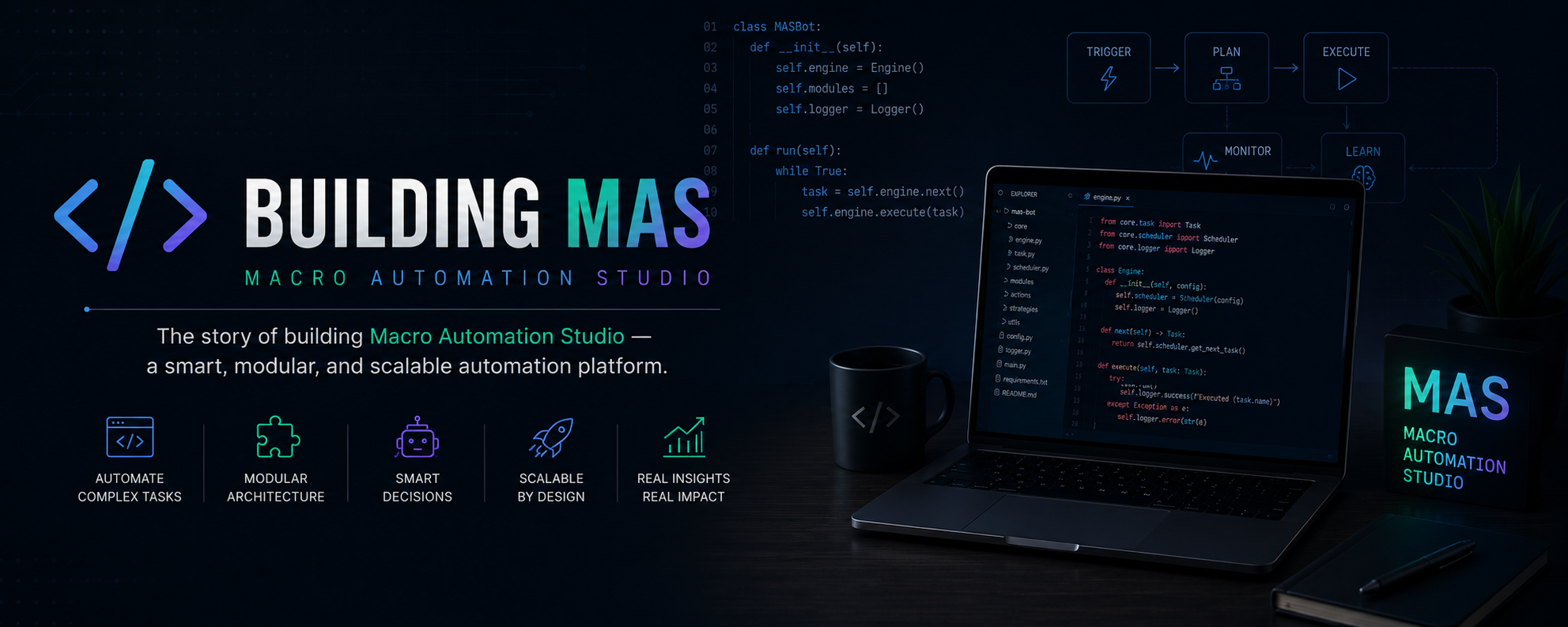
I started building our first Android bot in 2021. It was an Android emulator automation tool written in pure Python, and it ran in production for years across a serious fleet of bot instances. Almost every design decision in Macro Automation Studio (MAS) is a direct response to something that hurt while building our bot.
This post is the catalogue of those lessons.
If you’ve ever tried to build a non-trivial Android automation tool in raw Python (the kind that runs unattended for hours, handles dynamic content, and recovers gracefully when things go sideways) you’ve probably hit most of these walls. If you haven’t tried yet, this is the map of where they are.
Lesson 0: a UI-tree test framework was the wrong tool
The very first version of our bot used a UI-tree test framework. I’m not going to spend long on why this didn’t work, because the conclusion is short. That kind of framework is excellent for app authors testing their own apps with accessibility IDs. It’s roughly useless when you’re driving an app you don’t own. The setup is heavyweight, the latency is brutal for any tight automation loop, and the moment a screen lacks the right accessibility metadata you’re back to image recognition anyway.
I spent weeks fighting it before I admitted that the whole architecture was a dead end.
Version two of our bot threw the framework out entirely. From that point on, the stack was pure ADB shell commands for input, a custom screenshot pipeline for vision, OpenCV for image recognition, and Tesseract for OCR. Everything got faster, simpler, and more reliable the moment I stopped trying to use a tool that assumed I had source access to the app.
Lesson: if you’re automating an app you don’t own, accept the constraints up front. You’re going to see the screen with image recognition, tap with raw input events, and read text with OCR. Pick your tools accordingly.
In MAS this is the entire premise. The SDK is built around vision and ADB-level input from the ground up. There’s no fallback to accessibility IDs, because there isn’t one in the production.
Lesson 1: ADB shell taps aren’t as simple as they look
In raw Python, sending a tap looks like this:
import subprocess

def tap(x, y):
    subprocess.run(
        ["adb", "shell", "input", "tap", str(x), str(y)],
        check=True,
    )
That works for a hello-world demo. It does not work for production.
Three problems hit immediately:
- Latency. Spawning an
adbsubprocess on every tap is slow. At 5-10 taps per second across multiple emulator instances, the subprocess overhead becomes the bottleneck of your entire loop. - Connection management. ADB connections drop. The first time your script runs for 8 hours and the emulator hiccups, ADB loses the device and every subsequent tap raises an exception.
- Determinism. A literal tap at (450, 600) for hours straight is a smoking gun. You want a humanized variant by default, with small randomized offsets and timing jitter.
The first version of our bot had none of this. The second had a long-lived ADB connection with reconnect logic. The third added humanization. The fourth merged it all into a class I rewrote one more time. That’s what eventually got productized in MAS as the interaction layer:
from mas import interaction

interaction.tap(450, 600)  # humanized, retried, on a persistent connection
The signature is one line. Behind it is years of “the connection died again and I had to figure out why.”
Lesson: input primitives are not a place to be clever in user code. Wrap them once, hide every gotcha behind the wrapper, and never think about them again.
Lesson 2: Screenshots are slow if you do them naively
The naive screenshot pipeline in raw Python looks like this:
import subprocess
import cv2
import numpy as np

def screenshot():
    raw = subprocess.run(
        ["adb", "exec-out", "screencap", "-p"],
        capture_output=True,
        check=True,
    ).stdout
    arr = np.frombuffer(raw, dtype=np.uint8)
    return cv2.imdecode(arr, cv2.IMREAD_COLOR)
This works. It also takes around 300-700ms per frame depending on resolution and emulator. If your bot loop expects to react to the screen several times a second across multiple instances, the screenshot alone has already burned your frame budget.
The fixes were incremental and painful:
- Switch from PNG to raw RGBA over the persistent ADB connection. Skip the PNG encode and decode entirely.
- Cache the framebuffer dimensions instead of re-querying them on every call.
- Reuse the numpy array buffer where possible to avoid allocations in the hot loop.
- Run captures in a background thread per device so a stalled screenshot doesn’t block the main loop.
Each of those was a multi-day investigation. In MAS the screenshot pipeline is built in, optimized, and just shows up as:
from mas import device

frame = device.screenshot()  # fast, persistent connection, threaded
Lesson: the screenshot pipeline is performance-critical infrastructure, not a one-liner. Build it once, ruthlessly, and stop touching it.
Lesson 3: OpenCV template matching is not “find this image on screen”
This is the lesson that costs every Python-automation beginner the most time.
The naive version:
import cv2

def find_image(frame, template):
    result = cv2.matchTemplate(frame, template, cv2.TM_CCOEFF_NORMED)
    _, max_val, _, max_loc = cv2.minMaxLoc(result)
    if max_val > 0.95:
        return max_loc
    return None
Looks fine. Works on your dev machine. Will fail in production for reasons that take weeks to diagnose:
- Resolution scaling. Your template was captured at one DPI. The user’s emulator runs at a different one. The template no longer matches at any threshold.
- Compression artifacts. The framebuffer differs subtly from the cropped PNG you saved during development. Subtle for you, fatal for
TM_CCOEFF_NORMED. - Anti-aliasing. Text rendered on a slightly different background blends differently. Pixel-perfect matching fails on a single antialiased edge.
- Transparency. If your template has alpha and OpenCV doesn’t know about it, the masked pixels are treated as zeros and skew the correlation in directions you didn’t predict.
- Threshold tuning. 0.95 is too strict for half your templates and too loose for the other half. There is no global threshold that works for every asset.
- Multiple matches. If an icon appears three times on screen,
minMaxLoconly gives you one. You need non-maximum suppression to find them all.
Our bot went through three full rewrites of the matching layer. The version that finally worked combined multi-scale matching, region-of-interest support, per-template threshold tuning, optional masking, and a validation pass that re-checks the match by sampling specific pixels inside the matched region.
In MAS this is the Asset Helper plus mas.vision.find_object(). You point it at an image asset (which the Asset Helper helps you crop correctly the first time) and it returns matches with all of the above baked in:
from mas import vision, images, interaction

result = vision.find_object(images.collect_button, threshold=0.85)
if result.found:
    interaction.tap(result.x, result.y)
The Asset Helper is the thing I most wish I’d had in 2021. Capturing assets correctly, with the right ROI, the right resolution, and a way to test the match before committing it, would have saved me hundreds of hours.
Lesson: template matching looks like a one-line function. It is actually a small subsystem. Don’t roll your own past the prototype stage.
Lesson 4: Tesseract is not production-ready out of the box
Pipe a raw emulator screenshot into Tesseract and you will get garbage. Numbers will read as letters. 1234 will come back as I23A. A timer that reads 00:45 will come back as something that doesn’t contain a colon.
What actually works:
- Preprocess hard. Crop to the exact text region. Upscale 2-4x. Convert to grayscale. Threshold to pure black-and-white. Maybe invert. Apply morphological operations to clean up artifacts. Each game UI needs its own preprocessing recipe.
- Restrict the character set. Tesseract’s
tessedit_char_whitelistparameter lets you tell it “only digits and a colon.” This one setting probably saves more pain than anything else in the OCR pipeline. - Validate the output. If you expect a timer of the form
MM:SS, regex-match the result and discard reads that don’t fit. - Compare multiple frames. If two consecutive captures disagree, you got lucky on one of them. Read again.
The raw version of this is dozens of lines per call site. In our bot I eventually wrote a read_text() helper that did all of the above. In MAS it lives in the SDK:
from mas import vision

energy_left = vision.read_number(region=(120, 80, 200, 110))
That’s the signature. Everything else (preprocessing recipe, character whitelist, validation, retry) is hidden inside. Not because the function is magic, but because OCR is a hairball and application code should never have to learn it.
Lesson: raw Tesseract is the wrong abstraction level for application code. Wrap it once and never expose it.
Lesson 5: Asset management is the silent killer
Nobody warns you about this in tutorials. You start with a folder of PNG files:
assets/
  collect_button.png
  energy_icon.png
  rally_button.png
Six months later you have:
assets/
  collect_button.png
  collect_button_v2.png
  collect_button_after_update.png
  collect_button_new_year_event.png
  energy_icon.png
  energy_icon_dark_mode.png
  rally_button.png
  rally_button_FIXED.png
  rally_button_FIXED_FINAL.png
You don’t remember which template the script actually loads. You don’t remember which ones you can safely delete. Half of them are for resolutions that no longer exist. The script has hardcoded paths in forty places. Renaming an asset breaks something five files away.
This is fixable with one architectural choice: treat assets as a registry, not a file tree.
Raw approach:
template = cv2.imread("assets/collect_button.png")
match = cv2.matchTemplate(frame, template, cv2.TM_CCOEFF_NORMED)
Registry approach:
from mas import images, vision

match = vision.find_object(images.collect_button)
In MAS, images.collect_button is a reference resolved at runtime against a project registry. The Asset Helper writes to that registry as you capture. The script never names file paths directly, so renaming an asset is one change instead of a forty-file find-and-replace.
The registry also tracks metadata for each asset (capture resolution, recommended threshold, ROI hint) that the matching pipeline uses automatically. That removes a whole class of bugs where the asset is right but the matching parameters are stale.
Lesson: file paths are a leaky abstraction for assets. The first thing to outgrow when you scale a bot is a flat assets/ folder.
Lesson 6: Recovery is the entire game
This is the lesson that took me the longest to learn, and the one that separates a bot that runs for 20 minutes from a bot that runs for 20 hours.
The naive automation loop:
while True:
    if find_image(screenshot(), collect_template):
        tap(...)
    time.sleep(2)
What this does not handle, in production:
- The app crashes after 4 hours and reopens to the home screen.
- The game pushes a forced update and shows a downloading screen instead of the main UI.
- A network hiccup leaves the game showing a “reconnecting” modal indefinitely.
- The emulator itself locks up and stops responding.
- An ad pops up that has no close button.
- The game added a tutorial that wasn’t there yesterday and now blocks the home screen with a glowing arrow.
- The user’s PC went to sleep and the emulator suspended.
In raw Python you handle every one of these by adding an if somewhere. After a year you have a 2000-line state machine that nobody, including you, can reason about. After two years half your CPU time is spent answering “are we in a known good state?” The bot still occasionally bricks itself, and someone wakes up to a notification that the script has been stuck on a loading screen for 6 hours.
The pattern that actually works is a hierarchy of recovery:
- Action-level retries. If a tap doesn’t move the screen to the expected next state within N seconds, retry the tap.
- Screen-level recovery. If an expected screen doesn’t appear, walk back to a known anchor (typically the home screen of the app) and try again.
- App-level recovery. If you can’t get to a known anchor, kill the app and restart it.
- Device-level recovery. If the app won’t restart cleanly, reboot the emulator.
- Macro-level recovery. If the emulator reboot doesn’t solve it, log it loudly and either pause or move to the next account in the fleet.
The script spends 99% of its time at level 1 and is grateful for levels 4-5 the night something genuinely weird happens. Without level 3 and 4, “the game didn’t fully load” is the kind of edge case that wakes you up at 3am.
In our bot this hierarchy was implicit and tangled across many files. I rebuilt it three times before it became readable. In MAS it’s first-class:
from mas import app

@app.with_recovery(
    anchor=images.home_screen,
    restart_app=True,
    reboot_device=True,
)
def daily_routine():
    ...
When the function fails to find a known state, MAS walks the recovery ladder for you. The same logic that took me weeks to get right in our bot is one decorator.
Lesson: every long-running automation is really a recovery system that occasionally does useful work. Plan for that on day one.
Lesson 7: The fleet is its own product
Once your bot works for one emulator instance, you immediately want to run it on twenty. That’s where our bot hit a different category of problem.
A fleet of bots means:
- A persistent control channel to every running instance so you can pause, resume, or update them remotely.
- Centralized logging so you can find the one instance that’s failing.
- State isolation so accounts don’t accidentally share data.
- Coordinated scheduling so 20 instances don’t all try to do the same thing at the same second.
Our bot’s fleet management was a Node.js WebSocket server. The first version worked fine for ten connections. The first time it scaled past a few hundred concurrent clients, it started dropping connections under load. The fix took multiple iterations: connection pooling, backpressure on outbound messages, heartbeat tuning, graceful reconnect on the client side, separating the control channel from the telemetry channel so a flood of logs couldn’t starve commands. Each iteration was a multi-day debugging session, often at hours of the day I didn’t choose.
In MAS this is the WebSocket service that powers the Devices section. The runtime dashboards that ship in the 1.0.116 update are built on the same infrastructure. The work to get there was multi-year, and most of it I learned by getting it wrong first.
Lesson: a single bot is a tool. A fleet of bots is a distributed system, with all the joys that implies. Budget for the distributed system before you’re forced to build it under fire.
What MAS actually is, in this context
People keep asking what makes MAS different from rolling your own Python automation. The honest answer is “nothing, if you have five years to spare for the rolling-your-own part.” MAS is the productized version of those five years.
Specifically:
- The Asset Helper is the workflow I should have had in 2021.
mas.vision.find_object()is the matching pipeline I rewrote three times.mas.vision.read_number()is the OCR wrapper that took a year of fighting Tesseract to get right.- The recovery decorators are the state machine I never managed to make readable in our bot.
- The WebSocket fleet layer is the infrastructure I scaled the hard way.
- The runtime dashboards (new in 1.0.116) exist because I got tired of grepping log files at 3am to figure out what one instance was doing.
- The integrated Claude CLI is the thing I’d have killed for as a solo developer trying to get a working bot before the weekend ended.
None of these are individually clever. MAS isn’t claiming to do something nobody else can do in principle. The point is integration: the entire stack is already built, debugged, and packaged, so the next person trying to build serious Android automation in Python doesn’t have to repeat the five years.
If you’ve tried this before with raw OpenCV, ADB, and Tesseract and bounced off it, that gap is what MAS fills. If you’ve never tried, this is the map of what you’d have hit.
Download Macro Automation Studio and start from where I ended up, instead of where I started.
This is part of a series I plan to keep writing about the design decisions behind MAS. Next up: the runtime dashboard architecture and the tradeoffs that shaped the UI Builder.
Last updated: May 2026.
Keep reading
Related guides
AI Macro Generator for BlueStacks, LDPlayer and MuMu
An AI macro generator writes the macro for you on BlueStacks, LDPlayer, MuMu or MEmu. How MAS Agent explores the emulator, writes the code, and what it costs.
Is There an AI That Plays Mobile Games for You? Yes. Here Is How It Works
Yes, an AI can play mobile games for you. The good kind learns the grind once and hands you a macro that runs every day at zero AI cost. Here is how.
Android Automation Tools in 2026: Phone Apps vs Emulator Macros vs AI Agents
The five kinds of Android automation tool in 2026 and how to choose: on-phone app, emulator recorder, image-recognition studio, AI agent or cloud device.
Ready to automate it?
Download Macro Automation Studio, point it at your emulator, cloud device or phone, and let the agent build the first macro.