Android Automation with an AI Agent: Explore Once, Run Forever
Describe a task in plain English. MAS Agent, the AI agent for Android automation, explores the live app on your emulator or a cloud device, then builds a deterministic macro and validates it by replay. The finished macro runs at zero AI cost.
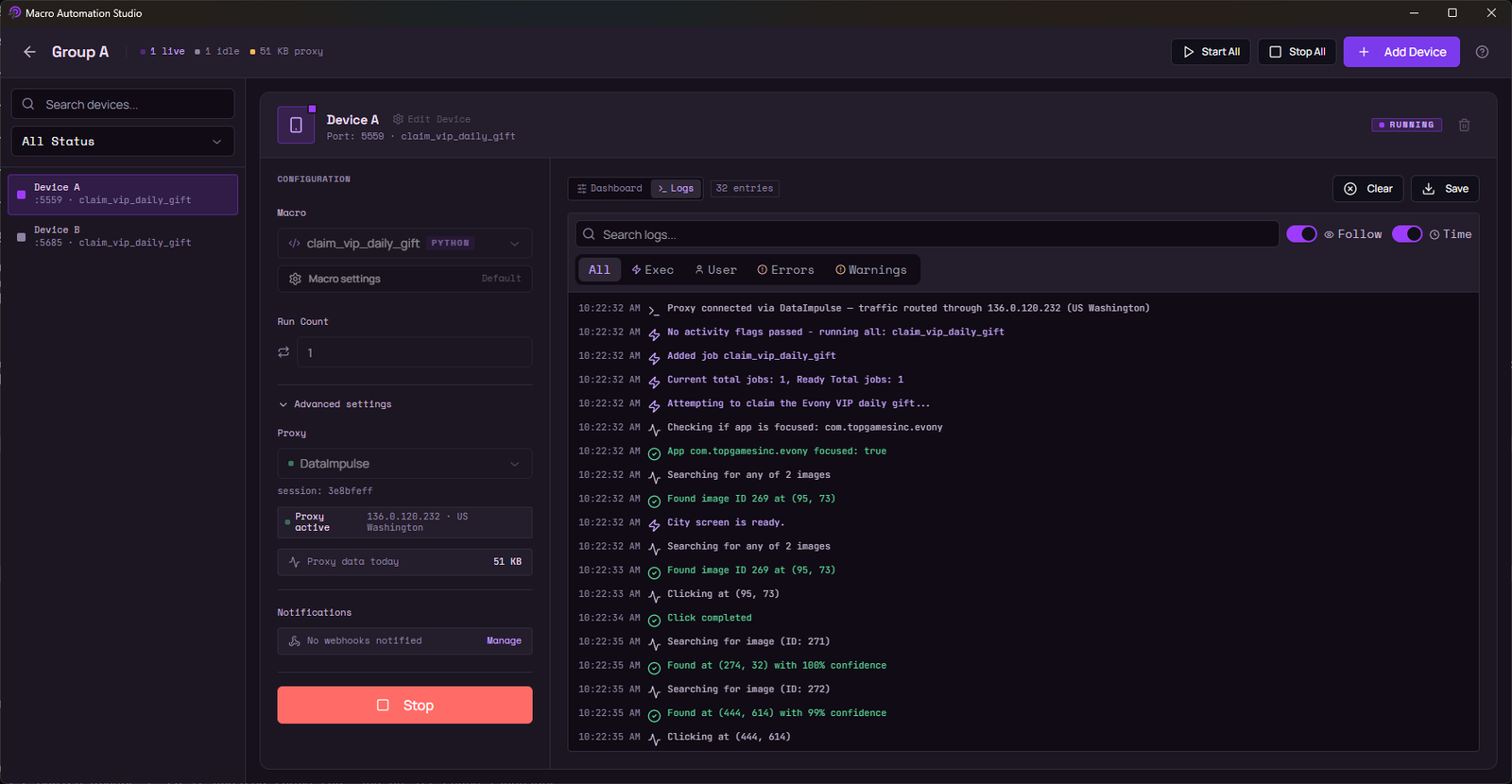
One studio for all your devices: BlueStacks, LDPlayer, MuMu and MEmu on Windows, emulators on Apple Silicon Mac, always-on cloud devices, or your phone plugged in. Full Python SDK, device groups, and ship without code when the agent writes it.
Example prompt: Claim the daily reward, then close any popups that show up. MAS Agent replies: On it. Macro coming up.
you
"Claim the daily reward, then close any popups that show up."
MAS Agent: On it. Macro coming up.
you
"Farm resources overnight and stop if energy runs out."
MAS Agent: Scheduled. Your PC can sleep.
you
"Run my daily checklist on every account before 9am."
MAS Agent: Six devices booked.
you
"Collect the event points every 4 hours while I sleep."
MAS Agent: Every 4 hours. Zero credits per run.
you
"Test the login flow and send me the results."
MAS Agent: Exploring the flow now.
MAS Agent · explore once, run foreverIllustrative
Animated illustration: MAS Agent taps through an app screen, captures each element as a template, compiles a macro, validates it by replay, then the macro runs on a fleet of devices.
Illustrative example: describe the task once, get a validated macro, run it on every device.
Track record
Distilled from a decade of automation work across tens of thousands of customers.
We spent that decade automating the hardest parts of phone automation: full game bots that read the screen like a player, daily loops that handle whatever popup appears, and account fleets that run unattended overnight. MAS is that experience, productized.
Six things MAS does that most Android automation tools do not. Each one is in the product today.
MAS Agent
Describe the task. Get a macro you can read, edit and run forever.
The Android AI agent that does the expensive part once. It explores the live app on your emulator or a cloud device the way a person would, then hands you a deterministic macro.
Explores screens, buttons, popups and counters on a live device, and stops to ask when it needs a decision
Captures every template image and OCR region from the live screen and verifies it on-device before it goes into the code
Compiles a standard MAS Python project: bounded loops, recovery preambles, decisive checks
Validates by replay through the unmodified SDK until 3 clean runs in a row
Remembers each app: learned maps of screens and proven routes carry over to the next task
Credits at authoring only. The finished macro runs at zero AI cost, on your emulator or in the cloud
Bring your own agent. Claude Code, Cursor, Codex, Hermes or any MCP client gets real Android devices.
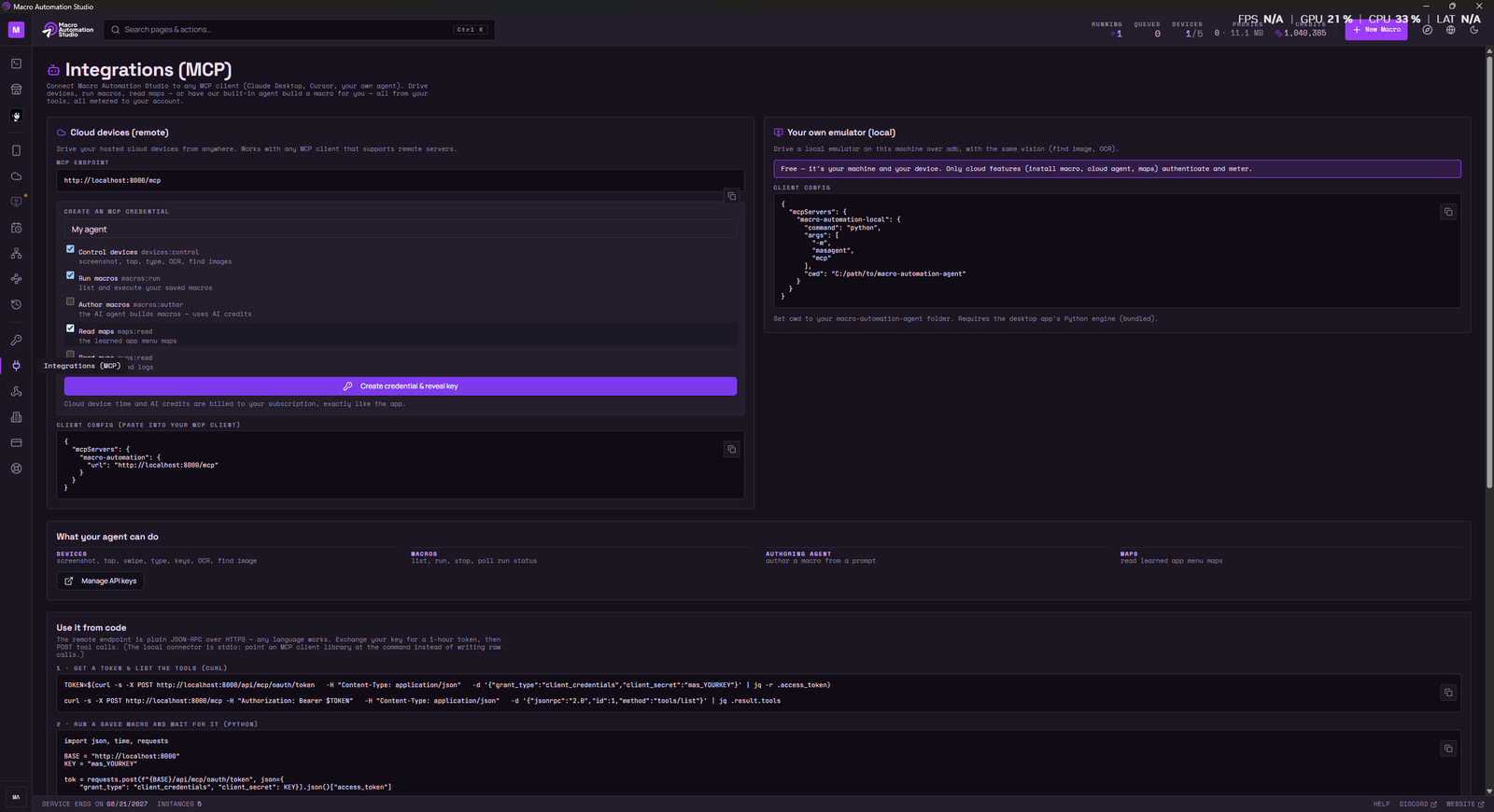
One remote MCP endpoint with 41 curated tools and scoped keys you create in the app, plus a local server the desktop app hosts for the emulators on your own machine.
A full Python SDK and an IDE built for automation.
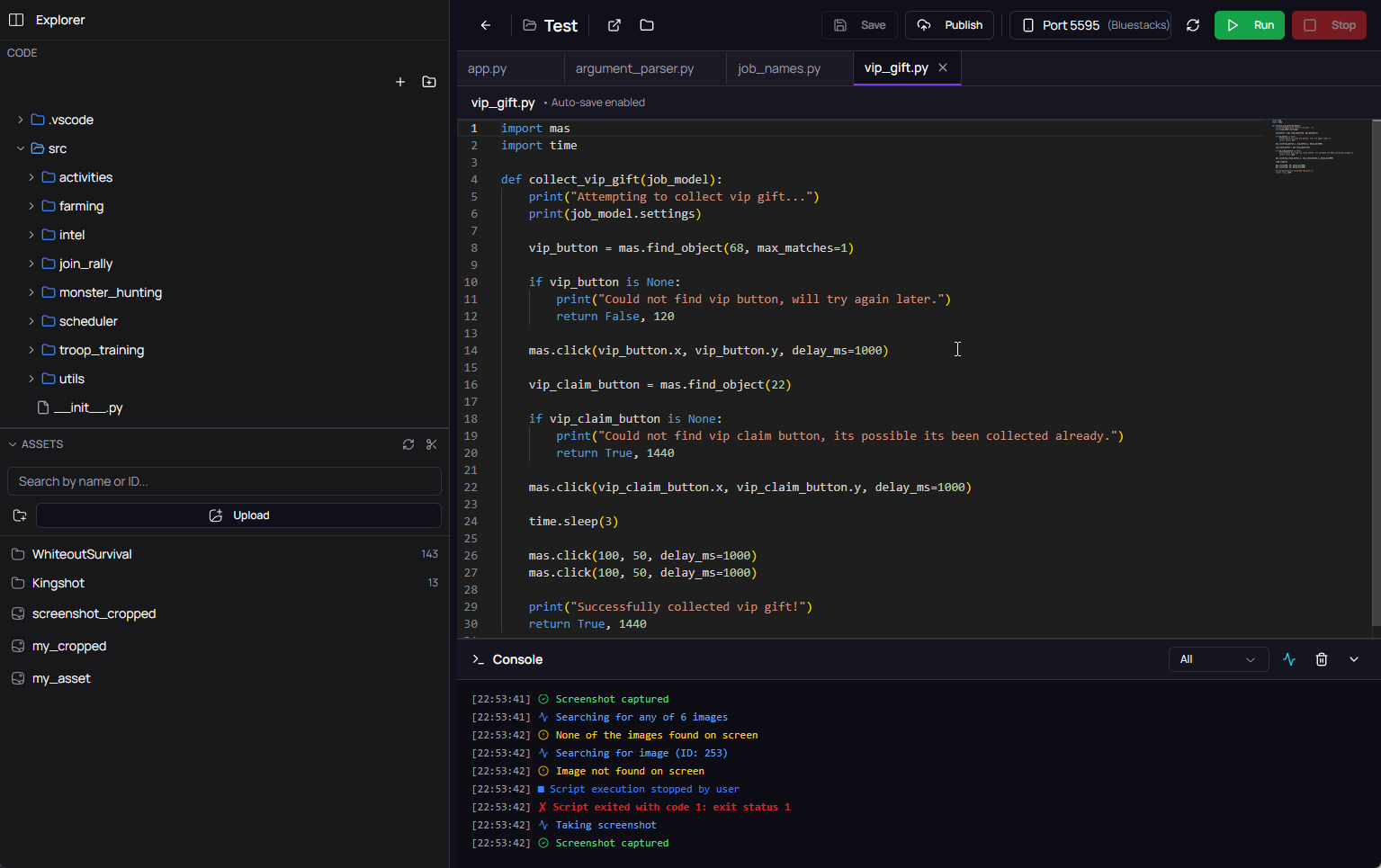
When you want control, everything is code you can read: the SDK the agent writes against, an integrated IDE, and the tools that make vision-based macros reliable.
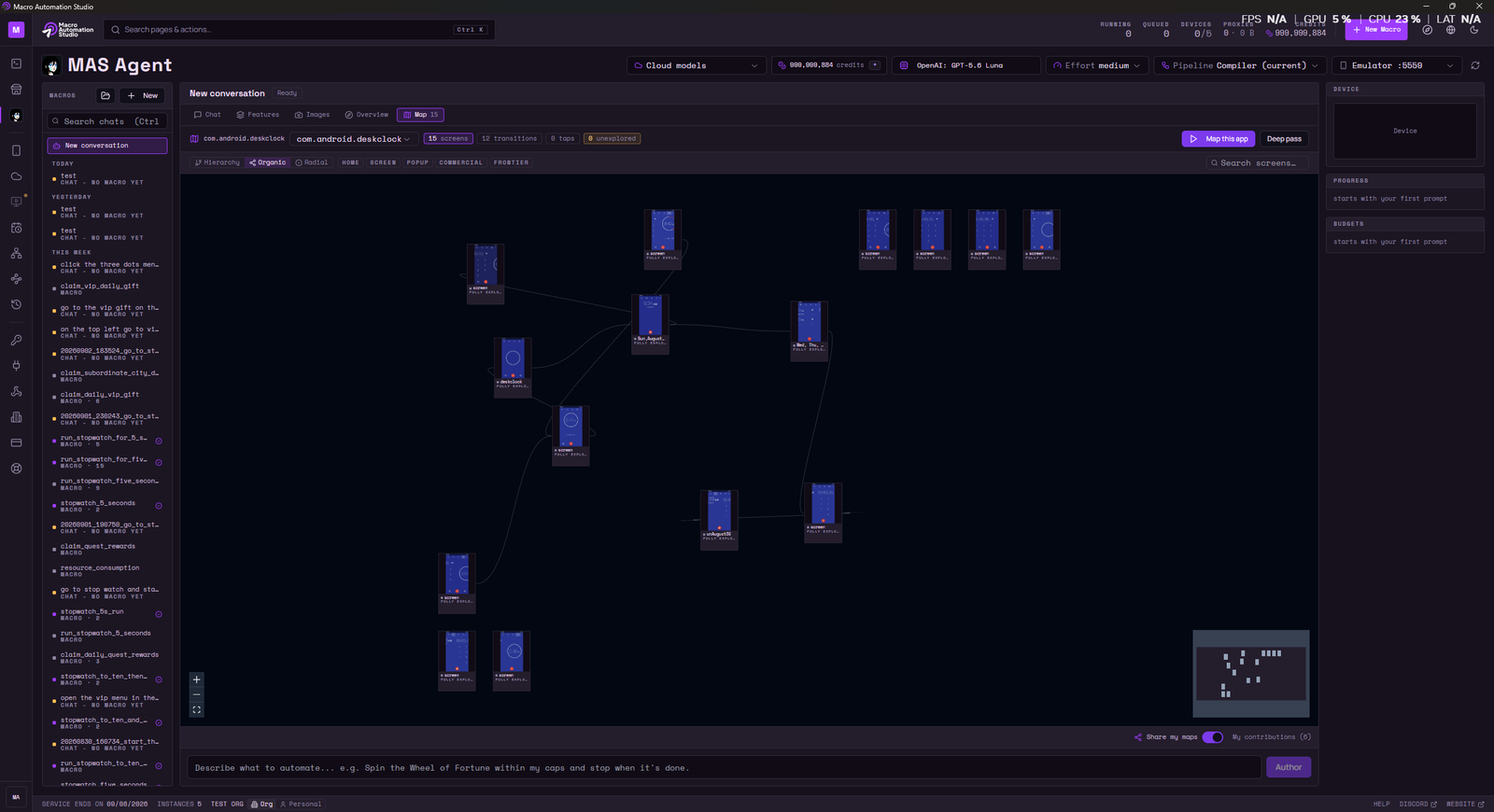
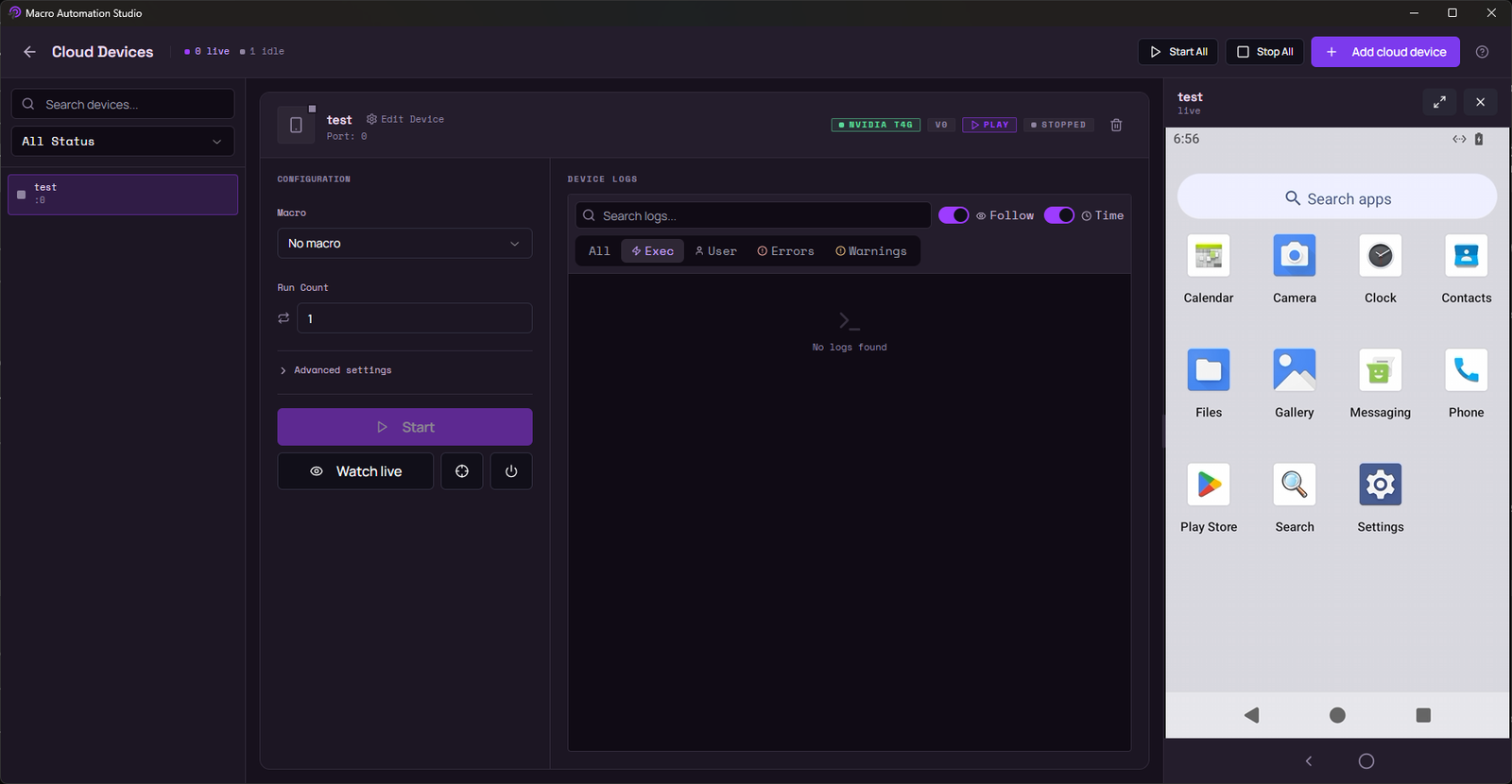
Gallery: the studio, the agent, the cloud device and the MCP server
Pick a screen to view it large. New captures replace the labeled frames after design approval.
Watch MAS demo
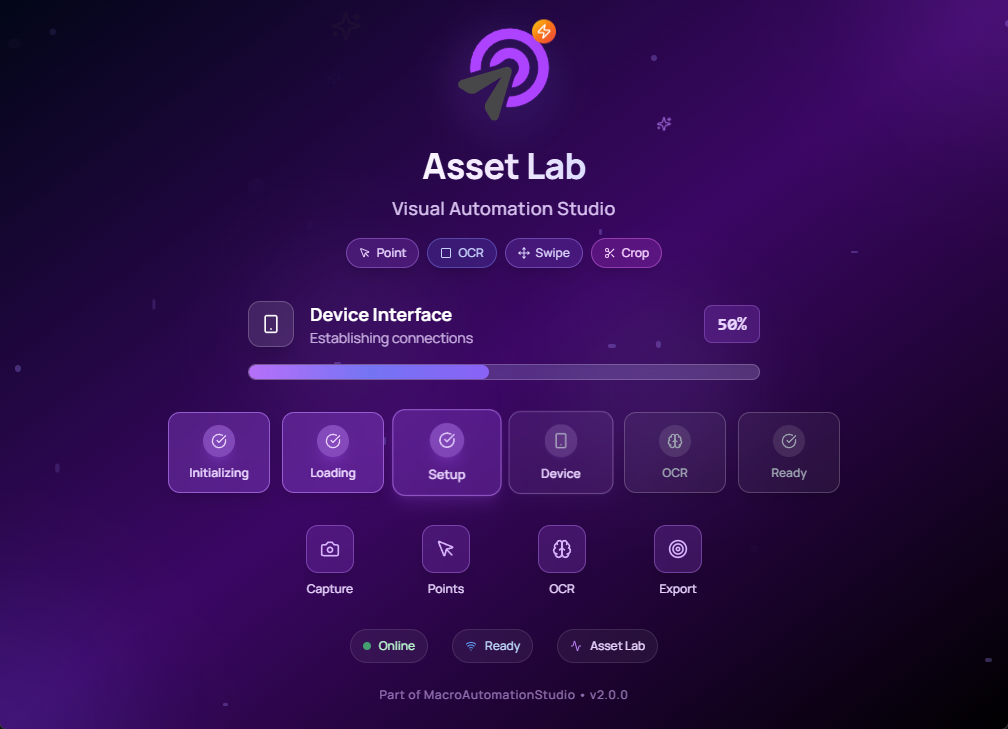
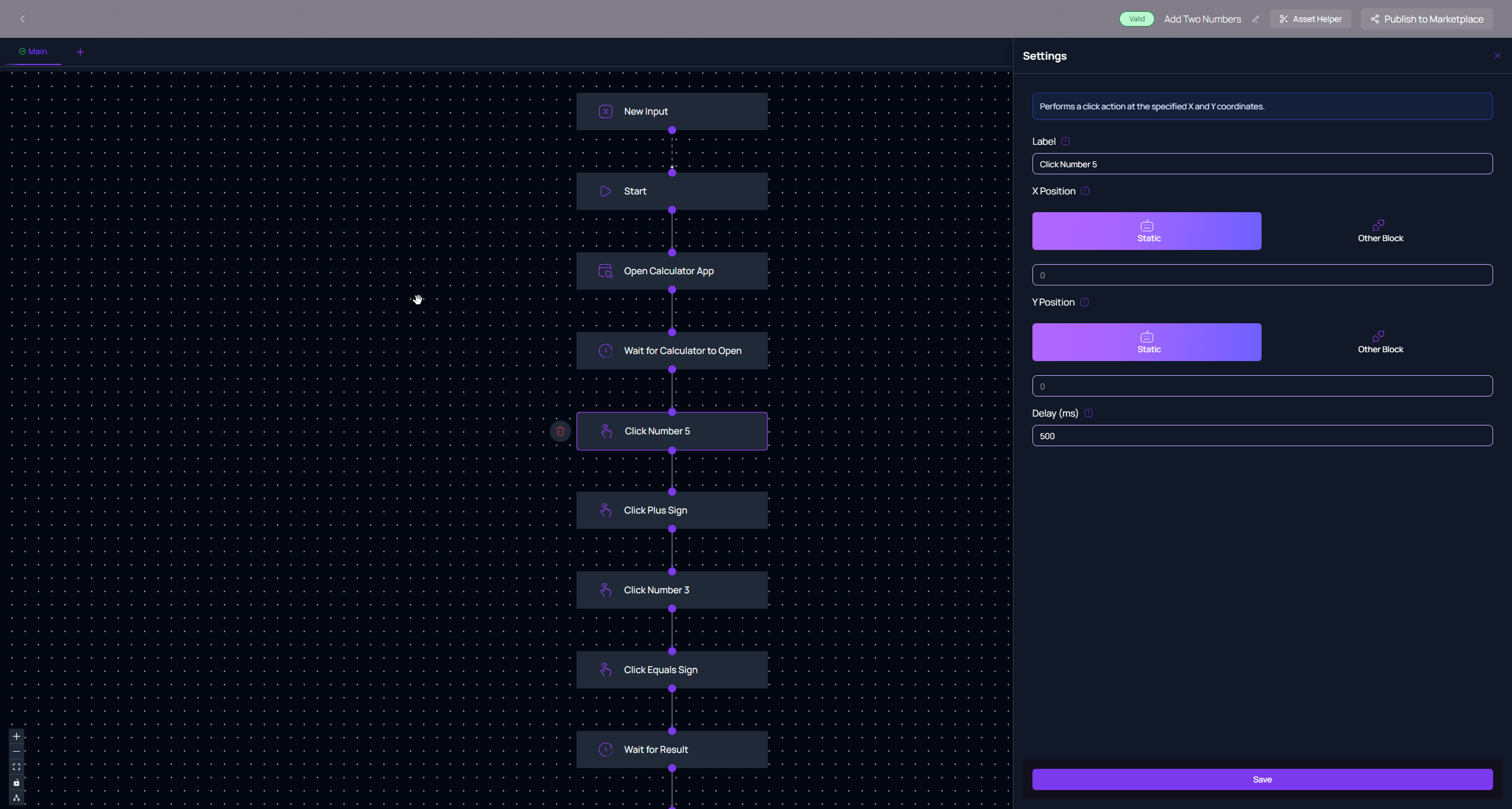
Watch MAS demo See Macro Automation Studio in action.MAS Agent Explores the live app, asks when it needs a decision, hands you a macro.Cloud Android device Always on, GPU streamed, a live screen you control from the studio.MCP server Claude Code driving an Android emulator through 41 tools.Asset Lab Capture template images, OCR regions and coordinates from the live screen.Device Groups One macro across every device in a group.Python IDE The full SDK in an integrated IDE, with Claude CLI beside the editor.Execution settings Per-run settings and workflow controls.
Emulator macros for BlueStacks, LDPlayer, MuMu and MEmu
An emulator macro is a sequence of taps, swipes, waits and checks that MAS runs inside the emulator through the screen. Android emulator automation works the same way on all four, with one builder, one SDK and the same device groups. On a Mac, MAS itself is a native Apple Silicon app (M1 to M5); pair it with an Android emulator on your Mac, a MAS cloud device, or your phone.
Ready-to-run automation presets for the games our community plays most. Each one covers daily quests, farming, healing, rallies and more, on Windows and Apple Silicon Mac, and on MAS cloud devices when you want them running with your PC off.
Whoever you are, it starts the same way: a 3-day free trial.
What our users say
From people who test and ship with MAS.
Alex Chen
Game Developer
"Macro Automation has revolutionized how we handle game testing. The no-code interface makes it incredibly easy to create complex automation workflows."
Sarah Johnson
QA Engineer
"The device grouping feature is a game-changer. We can now manage multiple emulators simultaneously, saving us hours of manual testing."
Michael Rodriguez
App Developer
"The real-time logs and performance analytics have helped us optimize our app testing process significantly. Highly recommended!"
Macro Automation Studio FAQ
Common questions about emulator macros, MAS Agent, cloud devices and Android automation.
What is Macro Automation Studio?
Macro Automation Studio (MAS) is a no-code Android automation platform that runs emulator macros on BlueStacks, LDPlayer, MuMu Player, MEmu - on Windows, or on an Apple Silicon Mac where the Studio itself is a native app. It uses image recognition, OCR, and humanized input simulation - no APK modification, no memory reading. Read the full guide to Macro Automation Studio.
What is an emulator macro?
An emulator macro is an automated sequence of taps, swipes, and decisions that runs inside an Android emulator like BlueStacks, LDPlayer, MuMu, or MEmu. Macros let you automate repetitive Android tasks - game farming, app testing, daily routines, multi-account management - without doing them by hand.
Does MAS work with BlueStacks, LDPlayer, MuMu and MEmu?
Yes. MAS connects to any ADB-compatible Android emulator on Windows - BlueStacks, LDPlayer, MuMu Player, MEmu - and to emulators running on an Apple Silicon Mac, where the Studio itself is a native app (the game still runs in an emulator, on a MAS cloud device or on your phone). See our emulator-specific guides: BlueStacks macros, LDPlayer macros, MuMu macros, MEmu macros.
Can I run Macro Automation Studio on Mac?
Yes. MAS itself runs natively on Apple Silicon Mac (M1 to M5) - no Windows PC or virtual machine required. The game or app still runs in an Android emulator on your Mac, on a MAS cloud device, or on your phone, and MAS drives it the same way it does on Windows. The same app and the same macros run on Windows and on Mac.
Do I need to know how to code?
No. Describe the task in plain English and MAS Agent explores the app and writes the macro for you, or install a ready-made bot from the marketplace. When you want full control, the integrated Python SDK and IDE are there, and the agent's output is plain Python you can read and edit. See how MAS Agent works.
Is it safe to use macros on game accounts?
No automation tool is 100% risk-free. MAS runs externally via image recognition and humanized input - it doesn't modify game files, APKs, or memory. Slower, more spaced-out macros reduce your detection footprint. Use any automation responsibly and at your own discretion.
What is MAS Agent and how does it automate Android?
MAS Agent is the AI agent inside Macro Automation Studio. Describe a task in plain English and the agent explores the live app on a device the way a person would: screens, buttons, popups, counters. When it needs a decision, it stops and asks. Every template image and OCR region it uses is captured from the live screen and verified on-device, and the result is a standard MAS Python macro, validated by replay until three clean runs in a row. From then on the macro runs at zero AI cost on your emulator or on a cloud device. Read more about MAS Agent.
Can an AI agent play mobile games for me?
Yes, with a division of labor. MAS Agent builds the macro that plays; the macro then runs on your emulator, a cloud device or your own phone without the agent in the loop. That is what "explore once, run forever" means: credits are spent while the agent explores and builds, and a finished macro costs nothing to run. The safety note in question 6 applies to any account you automate: no automation tool is 100% risk-free. See MAS Agent or make a bot for any game.
What is a cloud Android device?
An always-on Android device hosted by MAS on GPU servers. Open one and you get a live screen you can watch and control. Macros and MAS Agent run server-side, so your PC can be off. A cloud device costs $80/mo and includes 20,000 AI credits every month. It boots in about 48 seconds, and stop and resume keep the device and its data. See cloud devices.
What is the MAS MCP server?
One remote MCP endpoint that any MCP client can use: Claude Code, Claude Desktop, Cursor, Codex, Hermes and others. You connect with a scoped key created in the app, sent as a header, or by signing in from the client, and you get 41 tools covering devices, screen understanding, macros and runs, the image library, the agent, writing macro code and scheduling. Screenshots come back as images the model can see; read_text (OCR) and find_image (template matching) give it reliable text and taps. The desktop app hosts the same server on your own machine, switched on under Integrations (MCP), with 38 of the same tools for your emulators or a plugged-in phone; what differs is where the work runs. See the MCP server.
Is Macro Automation Studio a phone automation app?
No. MAS is a desktop studio for Windows and Apple Silicon Mac that automates Android apps and games through the screen: on an emulator on Windows or Mac, on a MAS cloud device, or on your own phone plugged into the studio. It works with image and text recognition and humanized input, and it does not modify APKs or read memory. That also makes it a fit for QA: drive a test build through an end-to-end flow and check every screen. If you want an app that lives on the phone and runs by itself, MAS is the wrong tool.
Is there a free trial?
Yes. Download Macro Automation Studio and start a 3-day free trial. After the trial, the Individual plan starts at $5/mo for one device. The full price list is on the pricing page.
Ready to Automate?
Start with a 3-day free trial, read the price list first, or ask the community what they run.
We use Google Analytics to see which pages help people. It sets cookies and sends your IP address to Google. Nothing loads until you choose, and you can change your mind from "Cookie settings" in the footer. How we use cookies.