What Is a Mobile GUI Agent? Computer Use for Android, Explained
A mobile GUI agent perceives a phone screen, decides, and acts through taps and swipes. How the loop works on Android, what it costs and where it fails.
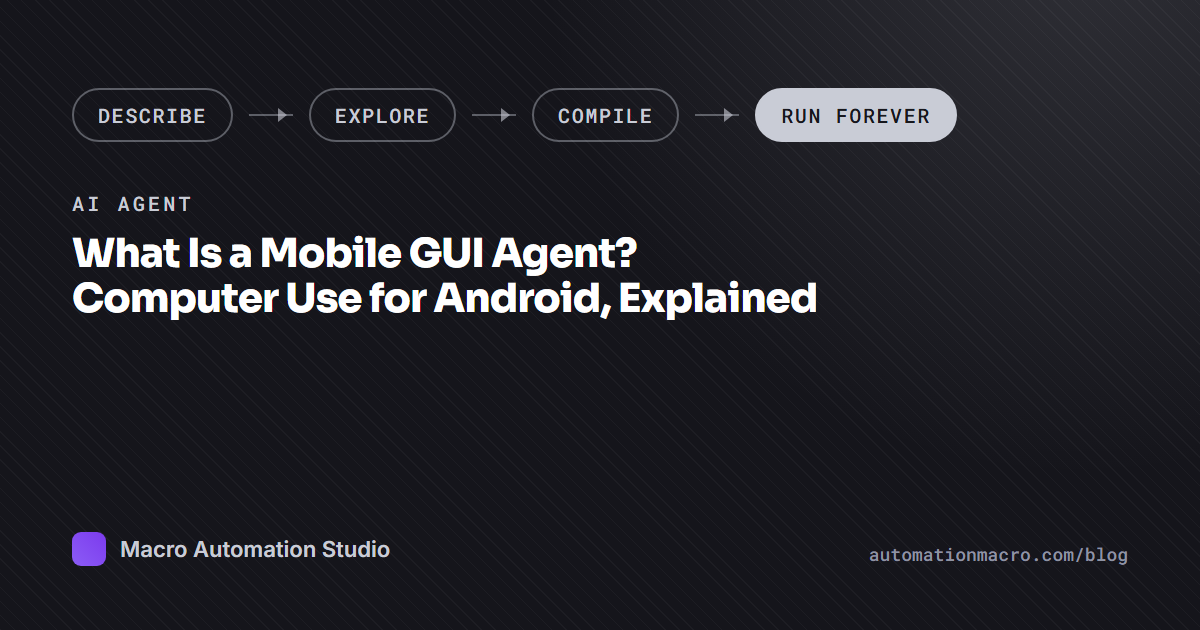
A mobile GUI agent is an AI that perceives a phone screen, decides what to do next, and acts through the same input a person uses: taps, swipes and typed text. It needs no special access to the app, because it works through the interface the app already shows. “Computer use for Android”, “phone use” and “mobile use” all describe this same loop, and this guide explains how it works, what it costs, and where it still falls short.
The definition, in one loop
Every mobile GUI agent runs the same cycle:
- Perceive. Capture the current screen, as a screenshot or as the interface tree, and turn it into something a model can read.
- Decide. Given the goal and what is on screen, choose the next action: tap here, swipe up, type this, open that app, or stop because the task is done.
- Act. Send the action to the device as real input, then go back to step one.
The loop repeats until the goal is met or the agent gives up. What separates one agent from another is how it perceives, what decides, and where the loop runs.
Two ways to perceive a screen
The interface tree. Android exposes a structured description of the screen for accessibility: a tree of elements with types, labels and positions. An agent that reads the tree gets clean text and exact coordinates without any image processing. It works well on standard apps built from standard components.
Pixels. The agent takes a screenshot and finds what it needs in the image: OCR to read text, template matching to find a button or icon it has seen before, and the model’s own vision to interpret the rest. This is slower to build but works on anything that draws to the screen.
Games and custom interfaces are why pixels matter. A game renders its whole screen as one drawn surface, so the tree is empty or useless. Many apps draw their own controls the same way. An agent that only reads the tree stops at the first game it meets. Macro Automation Studio works through pixels for this reason: template matching, OCR and humanized input, with no root, no APK modification and no memory reading.
Where the agent runs
The loop can run against three kinds of device.
- On the phone. The agent drives a physical Android phone, either from an app on the device or from a computer over USB debugging. Closest to a real user, and limited to one phone at a time.
- On an emulator. BlueStacks, LDPlayer, MuMu, MEmu or any adb-compatible emulator on Windows or Mac. Free, fast, and easy to run several at once, as long as the PC stays on.
- On a cloud device. Android on a server, always on, GPU streamed. The agent runs there too, so the PC can be off. The cloud devices page covers how MAS does this.
MAS treats all three as the same target. A macro authored on one runs on the others.
Computer use, phone use, mobile use, GUI agent
The names multiply faster than the ideas. “Computer use” is the general term for a model driving a screen with a mouse and keyboard, and “computer use for Android” moves that to a phone. “Phone use agent” and “mobile use agent” are the same thing named after the device. “GUI agent” names the method: it works through the graphical interface rather than an API. “Android AI agent” is the search term. Each of these describes the perceive, decide, act loop above.
What the loop costs when a model runs every step
The direct approach puts a large model in the loop on every action. It sees a screenshot, thinks, taps, sees the next screenshot, thinks again. This has three costs that show up in production and stay hidden in a demo.
Latency per step. Each action waits on a model round trip. A routine of forty taps that a person finishes in a minute takes several minutes when every tap needs a model’s opinion.
Cost per step. Every screenshot sent to a model costs tokens, and the bill scales with the number of actions and the number of runs. A daily routine that costs a little each day still costs it every day for as long as you run it.
Different behavior tomorrow. A model can choose a different path on the same screen tomorrow, because its reasoning is not deterministic. For a one-off task that is fine. For a routine that must do the same thing at 6 a.m. every day, it is a liability, and a change in the model version can change the path again.
The post on what it costs to run an AI agent on Android works through these in more detail.
The alternative: explore once, compile, run at zero
MAS Agent uses the model where it is useful and removes it where it is not. You describe the task in plain English. The agent explores the live app on the device, captures template images and OCR regions that it verifies on-device, and asks instead of guessing when a screen is ambiguous. It states a budget you confirm before it spends a credit, and you can redirect it mid-run.
When it understands the task, it compiles a deterministic Python macro in the studio’s house style: bounded loops, a recovery preamble, decisive checks. It validates the macro by replay until it passes clean runs, and keeps an app map as memory for next time.
The finished macro runs at zero AI credits forever. Same path every run, no model round trip per tap, scheduled across device groups. The model’s cost lands once, at authoring, and the routine costs nothing after that.
Your own AI client as the GUI agent, through MCP
If you already work in Claude Code, Cursor, Codex or Hermes, the client itself can be the agent. The MAS MCP server hands the client a set of tools that map onto the loop:
- Perceive:
screenshot,read_textfor OCR,find_imagefor template matching,get_mapfor what the agent already knows about the app. - Act:
tap,swipe,type_text,press_key,open_app. - Compile:
author_macroto hand the task to MAS Agent and get a macro back,run_macroto execute one.
The hosted server exposes 40 tools on cloud devices, including lease_device to claim one. The desktop app hosts 37 of the same tools on your own machine, for emulators and plugged-in phones over adb. The client decides; MAS perceives and acts. Connecting Claude Code to an Android emulator walks through the setup.
What these agents are good at, and where they still fail
They are good at navigating menus, filling forms, reading a screen and reporting what is on it, repeating a routine across many screens, and exploring an app they have never seen to build a map of it.
They still fail at fine gestures, such as a drag along a precise path or a timed multi-touch move. They fail on ambiguous screens where two options look alike and the label does not settle it. They should not make decisions that need a person, such as which offer to accept, and they should never make a purchase without a human confirming. MAS Agent asks rather than guesses on the ambiguous cases, and a well-built macro stops and reports instead of pressing through.
No automation tool is 100% risk-free, so automate responsibly and at your own discretion.
Frequently asked questions
What is a mobile GUI agent?
A mobile GUI agent is an AI that perceives a phone screen, decides what to do next, and acts through the same taps, swipes and typing a person uses. It works through the interface rather than an API, so it needs no special access to the app.
What is computer use for Android?
Computer use for Android is the same perceive, decide, act loop applied to an Android screen instead of a desktop. The agent captures the screen, chooses an action, and sends it as real input to a phone, an emulator or a cloud device.
Is a phone use agent the same as a mobile use agent?
Yes. Phone use, mobile use, computer use for Android and GUI agent all describe one class of software that drives a phone through its screen. The names come from different sources, and the loop underneath is the same.
Can a GUI agent play games?
Yes, if it perceives through pixels. Games draw the whole screen as one surface, so an agent that reads the interface tree sees nothing. MAS uses template matching and OCR on screenshots, which works on games and on apps with custom interfaces. See AI that plays mobile games for you.
How much does a mobile AI agent cost to run?
With a model in the loop, every step costs a model call, so the bill scales with the number of actions and the number of runs. With MAS Agent, credits are spent once at authoring and the compiled macro runs at zero credits after that, on a schedule, for as long as you keep it.
Can Claude be a mobile GUI agent?
Yes. Connect Claude Code or Claude Desktop to the MAS MCP server and Claude gets screenshot, OCR, template matching, tap, swipe, type and app tools on an emulator, a plugged-in phone or a cloud device. Claude decides and MAS perceives and acts. It can also call author_macro to have MAS Agent compile the routine into a macro.
Keep reading
Related guides
AI Macro Generator for BlueStacks, LDPlayer and MuMu
An AI macro generator writes the macro for you on BlueStacks, LDPlayer, MuMu or MEmu. How MAS Agent explores the emulator, writes the code, and what it costs.
Is There an AI That Plays Mobile Games for You? Yes. Here Is How It Works
Yes, an AI can play mobile games for you. The good kind learns the grind once and hands you a macro that runs every day at zero AI cost. Here is how.
Android Automation Tools in 2026: Phone Apps vs Emulator Macros vs AI Agents
The five kinds of Android automation tool in 2026 and how to choose: on-phone app, emulator recorder, image-recognition studio, AI agent or cloud device.
Ready to automate it?
Download Macro Automation Studio, point it at your emulator, cloud device or phone, and let the agent build the first macro.