Cloud Android phone: run your apps and games 24/7 with your PC off
What a cloud Android phone is, how it compares to emulators and phone farms, and how MAS cloud devices run macros and the agent server-side around the clock.
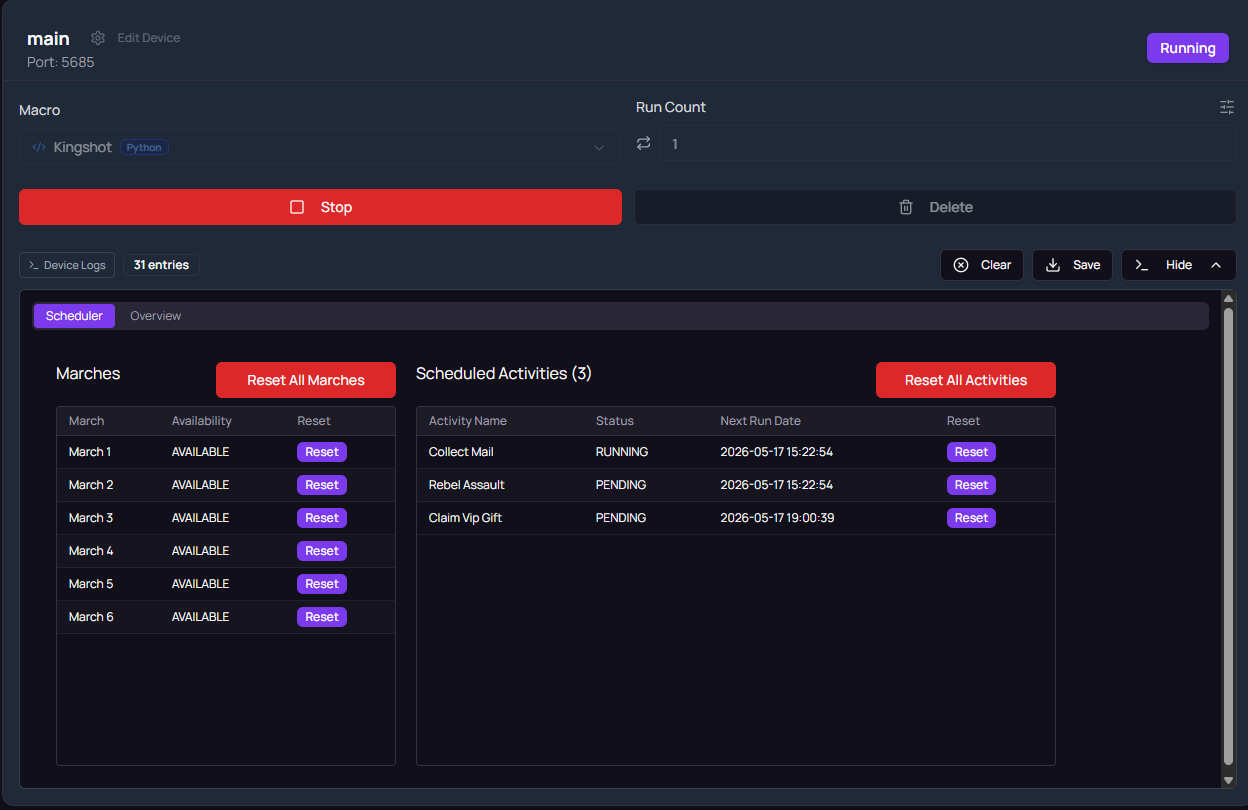
Most Android automation has a single point of failure: your computer. The emulator runs on your PC, so the moment you shut it down, reboot for an update, or take the laptop somewhere, every scheduled task stops. A cloud Android phone removes that dependency. The device lives in a data center, stays on around the clock, and your own hardware becomes irrelevant to whether the work gets done.
What a cloud Android phone is
A cloud Android phone is a full Android environment running on GPU servers, streamed to you over the network. You see the screen in your browser or desktop studio, tap and type as if the device were in your hand, install apps, and sign in to your accounts. The difference from a local emulator is what happens when you disconnect: nothing. The device keeps running, apps stay open, and scheduled automation continues without you.
Because it runs on server GPUs rather than borrowed cycles from your laptop, performance is consistent. Games render at full speed at 3 a.m. the same as at 3 p.m., and no background Windows update ever kills a session halfway through.
Cloud phone vs local emulator vs physical phone farm
There are three ways to get an always-available Android device, and they trade off differently.
A local emulator is the cheapest to start with: it runs on hardware you already own. But it inherits every weakness of that hardware. The PC must stay on, which costs electricity and wears the machine. Performance is shared with whatever else you are doing. Sleep, reboots, and updates interrupt schedules, and running many instances quickly saturates RAM and CPU.
A physical phone farm means racks of real phones. Real devices behave exactly like real devices, which is the appeal, but everything else is a burden: upfront hardware cost, USB hubs and cabling, chargers, swollen batteries, heat, and the maintenance time of keeping dozens of handsets updated and connected. Scaling means buying and wiring more phones.
A cloud phone turns all of that into a flat monthly fee. No hardware to buy, nothing to maintain, always on by default, and scaling is adding another device to your account. The trade-off is that you pay for the convenience monthly rather than owning the metal.
For most people running scheduled automation, the cloud option wins on total effort: the hidden costs of the other two are time and reliability, not just money.
What people actually run 24/7
The workloads that justify an always-on device are the recurring ones:
- Daily quests and login rewards. Games reward showing up every day. A cloud device collects on schedule whether you remember or not.
- Event collection overnight. Timed events with reward windows in the middle of your night are trivial when the device never sleeps.
- Multi-account farming. Each account gets its own device with its own state, running in parallel without fighting for your PC’s RAM.
- App flows beyond games. Any repetitive in-app routine, checking, posting, collecting, monitoring, runs the same way on a schedule.
How cloud devices work in MAS
In Macro Automation Studio, a cloud device is an add-on: it sits on top of your plan’s devices and does not use a plan device slot. Pricing is $80/mo per cloud device, and each one includes 20,000 AI credits every month ($20 value). The monthly allowance lives for its month plus a 30-day rollover, then expires, so an idle month is not wasted.
The important architectural detail is that everything executes server-side. Your macros run on the cloud device itself, and so does MAS Agent when you ask it to explore an app and build a new macro. Credits are spent only when the agent or other AI features run; a finished macro runs at zero credits, so your daily schedules cost nothing beyond the flat device fee no matter how often they fire.
You control the device from the studio: watch the live stream, install your own APKs, arrange macros and schedules, and group cloud devices alongside local emulators in the same fleet. If you drive your tooling from an editor or agent environment, the same devices are reachable through the MCP server, so external tools can start runs and read results without the studio open.
Trying it: the 3-day free trial
The studio itself has a 3-day free trial, which is the sensible way in. Download Macro Automation Studio, connect a local emulator or your Mac, and build a first macro, by hand, in Python, or by asking MAS Agent. Once you have a macro you trust, adding a cloud device moves that exact macro to hardware that never turns off. Full plan and device pricing is on the pricing section.
A common path looks like this: author a daily-routine macro during the trial, subscribe to the $5/mo Individual plan, run it locally for a week, then add a cloud device the first time a reboot or a trip breaks the streak.
FAQ
Does my PC need to stay on? No. Macros and MAS Agent run server-side on the cloud device. Close the studio, shut the PC down, and schedules keep firing.
Can I install my own APKs? Yes. You install APKs through the studio and configure apps exactly as on a local emulator, your accounts, your settings, your app versions.
Is it GPU accelerated? Yes. Cloud devices run on GPU servers, so games render at full speed and image-recognition macros see clean frames.
How does it compare on cost to running my own PC all night? Count everything: electricity for a machine running 24/7, hardware wear, and every schedule missed to sleep states and updates. The $80/mo flat fee includes 20,000 AI credits and removes the reliability tax entirely.
Keep reading
Related guides
Cloud Phone vs Android Emulator vs Cloud Android Device for Automation
Emulators are free and local, cloud phones run without your PC, and a cloud Android device runs your macros itself. Cost, uptime and control compared.
AI Macro Generator for BlueStacks, LDPlayer and MuMu
An AI macro generator writes the macro for you on BlueStacks, LDPlayer, MuMu or MEmu. How MAS Agent explores the emulator, writes the code, and what it costs.
Is There an AI That Plays Mobile Games for You? Yes. Here Is How It Works
Yes, an AI can play mobile games for you. The good kind learns the grind once and hands you a macro that runs every day at zero AI cost. Here is how.
Ready to automate it?
Download Macro Automation Studio, point it at your emulator, cloud device or phone, and let the agent build the first macro.