Macro Automation Studio 1.0.125: New Interface, Debugger, Rebuilt Engine
Release notes for Macro Automation Studio 1.0.125 and 1.0.23: a new interface, an in-editor Python debugger, a rebuilt execution engine and new SDK features.
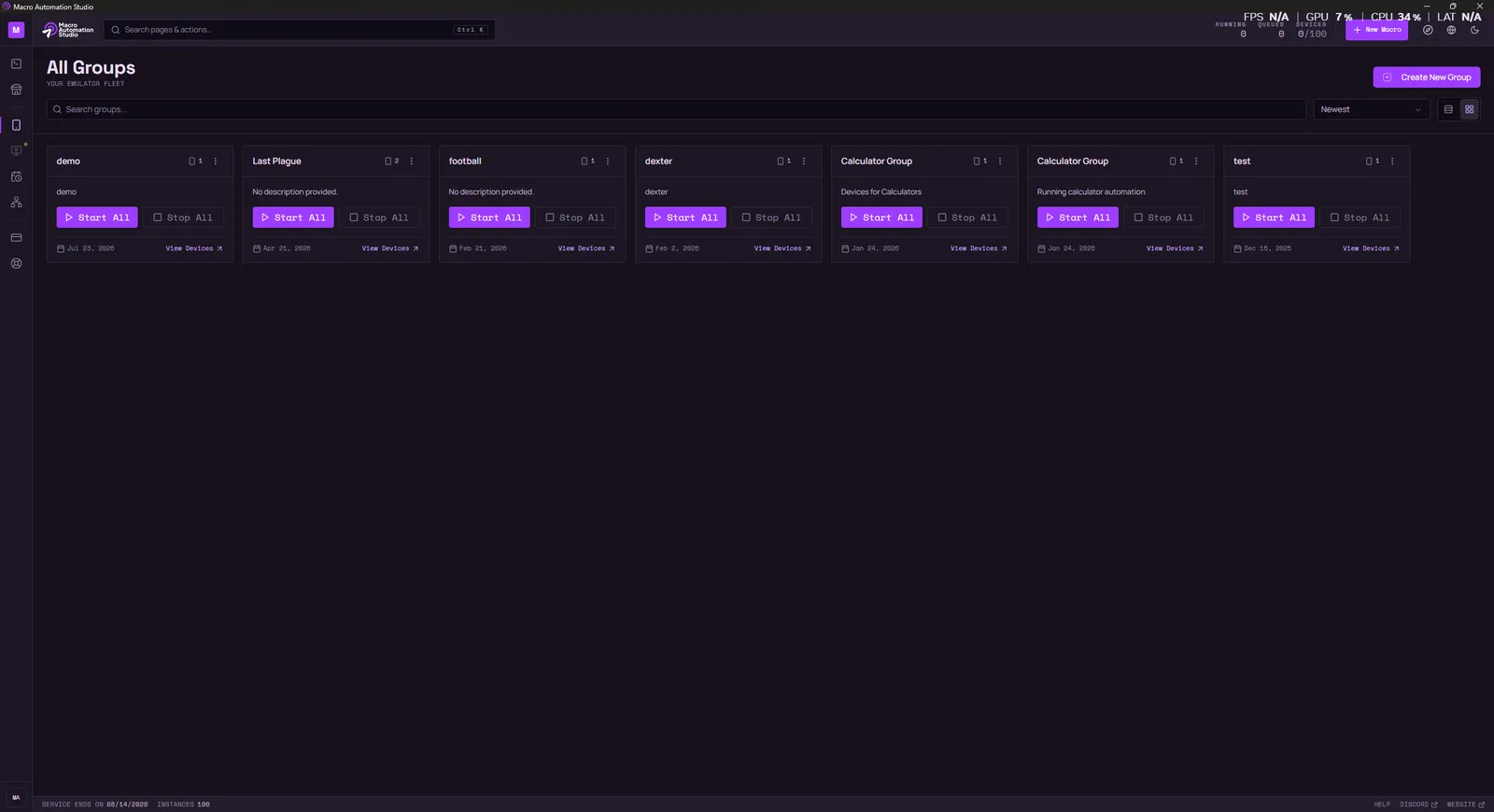
This release is the most extensive visual and structural overhaul of Macro Automation Studio since launch. It ships as version 1.0.125 on Windows and 1.0.23 on macOS, and it touches every screen in the product: a full interface redesign, a step-through debugger inside the Code Editor, a rebuilt macro execution engine, a set of new SDK capabilities for script authors, and a reworked payments experience.
The details follow.
1. An All-New Interface
The entire desktop app has been rebuilt on a new design system. This is not a reskin; every page was redesigned and reimplemented.
- New app shell. A new navigation structure and top bar, now carrying the full brand logo.
- Every page, redesigned. Macros, the Code Editor, the Marketplace (browse, detail, and publish), Device Groups with its list and fleet console, the Scheduler, Port Usage, Payment, Sign-in, PC Mode, the Help Center, and every dialog and modal in between.
- A more capable Scheduler. Scheduled work can now be viewed as a timeline, a grid, a table, or a focused “today” view, with a modern date picker throughout.
- Consistent polish. Loading skeletons while data arrives, a sticky header on the payment page, a fixed detail pane in the Marketplace, and consistent cursor behavior across the app.
The goal of the redesign is a studio that reads clearly at a glance whether you are managing three macros or a fleet of devices. It is also the foundation the next generation of features will build on.
2. New: Step-Through Debugging in the Code Editor
In our previous release notes we said a built-in debugger was next on the roadmap. It has arrived.
You can now debug macro scripts directly inside the Code Editor:
- Breakpoints. Set them in the editor and execution pauses when they are hit.
- Step-through execution. Walk through your script line by line and observe exactly what it does, built on Python’s PDB.
Since the initial internal builds, the debugger has also received a round of refinement: improved debugging workflow in the editor, automatic reclamation of stuck debug ports, and a corrected toolbar layout that no longer overflows.
The debugging loop of adding print statements, re-running, and guessing is no longer necessary. Pause the script at the exact line that misbehaves and inspect the situation directly.
3. A Rebuilt Macro Execution Engine
Reliability work is rarely visible, but this is the most important engineering change in the release. The macro execution engine has been redesigned from the ground up:
- A single source of truth for running macros. The studio, the device views, and the console all agree on what is running, always.
- Per-run log buffers. Each run keeps its own logs; parallel runs no longer interleave or overwrite each other.
- Resource cleanup on every exit. Ports, processes, and device handles are released when a run ends, however it ends.
- Crash recovery and reconciliation. If the app exits unexpectedly, running macros and their logs are recovered and reconciled on restart instead of being lost.
The editor console has also been reworked to stay smooth during log-heavy runs; sustained high-volume output no longer causes render storms or interface stutter.
4. MAS SDK: New Scripting Capabilities
Script authors get a meaningful expansion of the mas SDK this cycle.
Pinch zoom
Two-finger pinch gestures are now first-class citizens, with a configurable center point, intensity, duration, and smoothness. The gesture is synthesized through the emulator’s touch input device, which is detected automatically:
mas.zoom_in()                                # pinch out at the screen center
mas.zoom_out(center=(540, 960), percent=80)  # strong pinch around a custom point
Key repeat
key_press can now send up to 100 presses in a single device command, which makes operations like fast character deletion dramatically quicker than pressing in a loop:
from mas import KeyCode

mas.key_press(KeyCode.DELETE, repeat=40)   # delete 40 characters in one command
Better OCR on noisy screens
read_text gains a black-and-white preprocessing mode with automatic thresholding. It is the best option for high-contrast text on colored backgrounds, such as numbers on game resource bars:
from mas import ColorConversion

result = mas.read_text(color_conversion=ColorConversion.BLACK_WHITE)
Leveled logging
Scripts can now write leveled log lines straight to the Studio run console with mas.log, using debug, info, warning, or error severity:
mas.log("Stock below threshold", level="warning")Clearer error types
Two new exception types, AuthenticationError and SubscriptionError, let scripts distinguish login and subscription problems from device errors and handle each appropriately.
5. Payments and Billing
The payment experience has been rebuilt end to end:
- A redesigned payment page, with a subscription status header and a billing-cycle meter that shows where you are in the current period.
- Self-service payment methods. Card subscribers can update their payment method at any time through the new Stripe Customer Portal integration.
- Hardened checkout flows. Both the PayPal and Stripe flows now handle pending checkouts, conflicts with an already-active subscription, and device-count changes made during checkout correctly.
6. Code Editor Improvements
- Find and Replace across all files. Search the entire project with Cmd/Ctrl+Shift+F, or find and replace across every file with Cmd/Ctrl+Shift+H.
- Reliable branch switching. Switching git branches now reloads the editor’s contents dependably; stale files no longer linger after a checkout.
7. Macro Management
Renaming a macro or editing its description no longer requires opening the project. Both can now be done directly from the macro list.
8. A Redesigned Help Center
The Help Center has been rebuilt as part of the redesign, with working search, properly formatted and readable code blocks, and a live link to our Discord community.
9. General Fixes
- Unresponsive controls across several pages have been wired up, and failures that previously happened silently now surface visible errors.
- Publishing to the Marketplace now shows real upload progress instead of an indeterminate wait.
10. Removed: AI Credits Balance and Usage History
The AI credits balance and AI usage history views have been removed from the app. The backend service that powered them has been retired, and the displays no longer had a data source.
How to Get the Update
If you already have Macro Automation Studio installed, launch the app and it will prompt you to update to version 1.0.125 on Windows or 1.0.23 on macOS. New users can download it directly:
Download Macro Automation Studio
Compatible with Windows 10/11 and native Apple Silicon macOS (M1 to M5).
What’s Next: AI Agents for Android Emulators and Desktop
The industry is moving quickly toward agentic AI: autonomous agents that operate a device’s interface the way a person does, a category often described as computer-use or GUI agents. Most of that work targets phones and browsers. We are building it for the environments our users actually automate: AI agents for Android emulators and desktop applications, integrated directly into the studio. The direction:
- Automate processes end to end. Describe a process in plain language, and a mobile AI agent carries it out on an Android emulator: or a desktop agent does the same on your PC: working across apps rather than inside a single one.
- Self-healing automation. When an app updates and a button moves or a screen changes, the agent adapts instead of failing.
- Reusable generated scripts. Agents will generate scripts from what they do, so a process an agent has performed once becomes a macro you can save and run anytime. Agentic automation that compounds, instead of starting from scratch on every run.
The debugger in this release was a direct result of community feedback, and the AI agents roadmap is being shaped the same way.
Related Reading
- Macro Automation Studio 1.0.116 Major Update: the previous release, covering Claude CLI, the UI Builder, and built-in Git.
- What Is Macro Automation Studio?: the full feature tour for new users.
- Macro Automation Studio Overview: platform philosophy and design.
Released: July 24, 2026.
Keep reading
Related guides
Macro Automation Studio 1.0.129: A Rebuilt Agent Chat
Release notes for Macro Automation Studio 1.0.129 (Windows) and 1.1.4 (macOS): a rebuilt MAS Agent chat, an agent that stays on task and sandbox-checked macros.
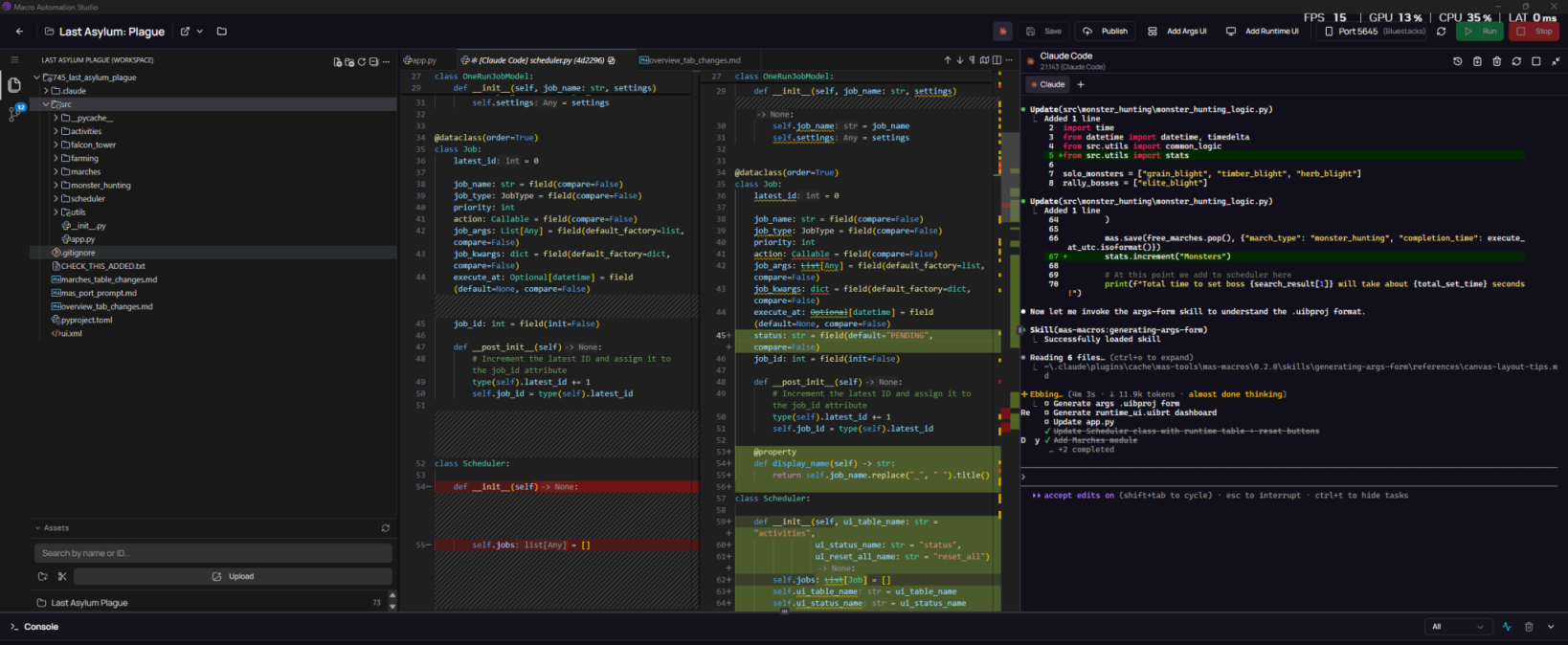
Macro Automation Studio 1.0.116 Major Update: Claude CLI, UI Builder, Git and More
Macro Automation Studio's biggest update yet: integrated Claude CLI, a visual UI Builder for forms and dashboards, built-in Git, and Korean OCR.
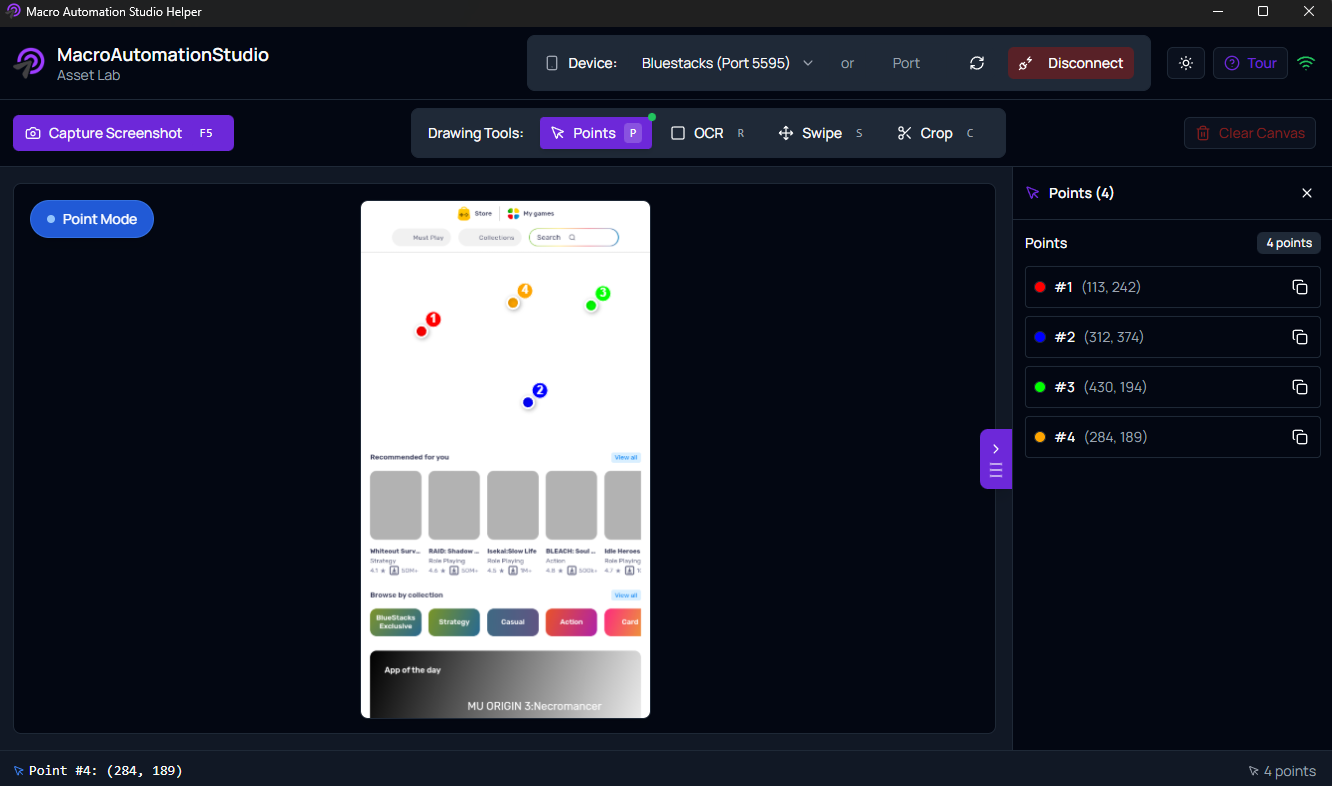
Macro Automation Studio: Build, Customize, and Run Powerful Automation Workflows
Macro Automation Studio is a flexible automation platform for building, customizing, and running advanced workflows using visual tools or Python.
Ready to automate it?
Download Macro Automation Studio, point it at your emulator, cloud device or phone, and let the agent build the first macro.